Contents
The five problems reported to ASG technicians most often: paper jams, scans not sending, toner not recognized, dirty prints, and laptops that can’t print. The first two can often be prevented by storing paper somewhere dry and not changing network settings casually.
Summary: 5 problems, their causes, and who fixes them
| Problem | Most common cause | Can you check it yourself? |
|---|---|---|
| Paper jams | Damp or overly thick paper | Yes, change the paper and check the tray |
| Scans not sending | Email password or destination folder changed | Partly, a technician can help remotely |
| Toner not recognized | Non-genuine or refilled toner | No, contact a technician |
| Dirty or streaky prints | Toner spilled inside or a worn drum | No, it needs cleaning by a technician |
| Laptop can’t print | Old driver or a different Wi-Fi network | Yes, check the network first |
1. Why does paper keep jamming?
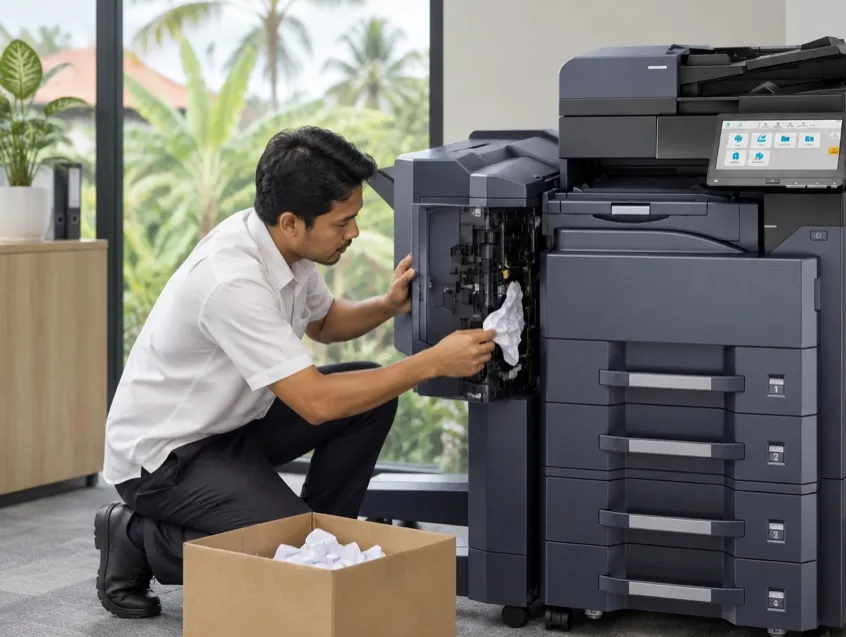
Usually because the paper is damp or too thick. In humid Bali and Lombok, reams left open soak up moisture quickly and start to curl.
What you can do: keep reams in a dry, closed place, fan the paper before loading it, and don’t fill the tray past the line. Call a technician if it keeps jamming at the same spot even with fresh paper.
2. Why aren’t scans reaching email?
Often because email or folder settings changed, for example the office email password was changed or the destination computer moved to another network. The machine still has the old details, so scans fail to send.
What you can do: think back to whether anything changed with email or the network this week, and pass that on to the technician. It can usually be fixed remotely without a visit.
3. Why isn’t the toner recognized?
Non-genuine toner is often rejected because the machine doesn’t recognize its chip. Refilled toner can also damage the drum, and that repair costs far more than you saved on toner.
On ASG rental machines, genuine toner is included in the rental, and there’s always spare toner on site.
4. Why are prints dirty or streaky?
Usually toner has spilled inside the machine or the drum is worn. A straight line in the same place on every page almost always means the drum or the fuser needs checking.
This needs cleaning by a technician. Don’t open up and brush the inside of the machine yourself: the fuser gets very hot and scratches easily.
5. Why can’t a laptop print?
The driver needs updating after the laptop changes operating system, or the laptop is on a guest Wi-Fi network that’s different from the printer’s. This happens a lot in hotels and villas with two networks.
What you can do: connect the laptop to the office network first, then try again. If it still fails, send the technician the laptop brand and operating system.
Small habits that save a technician visit
- Keep paper in a closed cupboard, away from dripping air conditioners.
- Use genuine toner only.
- Don’t unplug the machine while it’s still printing.
- Tell the technician before the office changes its router or email passwords.
- Take a photo of the screen whenever an error code appears, even if it goes away.
How to report it to ASG
Send a WhatsApp to the hotline number on the machine’s sticker, with a photo of the screen or the error code. We first guide you remotely by chat or video call. If that doesn’t fix it, contract clients in the Bali, Lombok, and Labuan Bajo service areas get a technician within 3 hours of the report, during business hours. We can also repair machines you own, see repair for machines you own.